
As a Revolut Business customer, you can open a Merchant account to accept payments directly through Revolut's payment solutions. A Merchant account is a sub-account of your Revolut Business account that unlocks the wider merchant toolset - accepting payments online, in-app, and in person, optimising your checkout, managing orders, reconciling reports, and monitoring activity through the Merchant API.
This page gets you set up: understand the account model, apply for a Merchant account, and generate your API keys. Once you're set up, you'll choose how you want to accept payments and start building.
Revolut Pro users can also accept payments with selected Revolut products - there's no separate Merchant account to apply for.
Check the Revolut Pro section of your Revolut app for the features and products available to you.
How it works
Your Merchant account is a sub-account of your Revolut Business account. It shares your business identity but adds the capabilities you need to take payments from your customers.
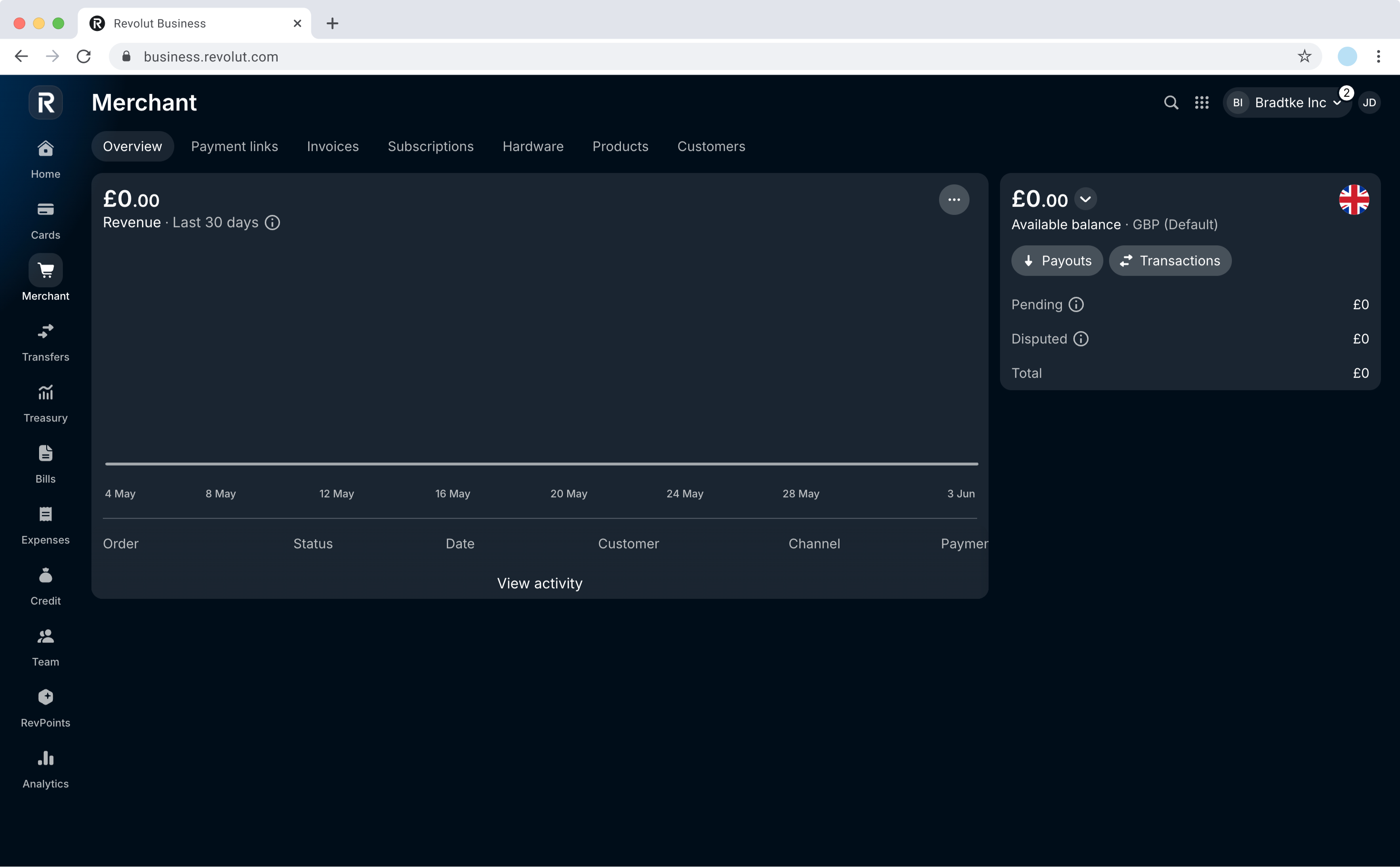
Merchant account vs. Business account features
The following table lists the different features of both:
| Revolut Merchant account | Revolut Business account |
|---|---|
|
|
What you can do
Your Merchant account supports several ways to accept payments. Pick the one that matches your resources and how much you want to build after you're set up:
| Integration path | Description | What to expect |
|---|---|---|
| No-code plugins | Connect a supported e-commerce platform (such as WooCommerce or Shopify) via OAuth (your Revolut Business credentials) or an API key. | No development work required - lowest effort. |
| Direct online integrations | Build a custom online checkout with the Merchant API and our SDKs. | Requires development effort; gives you the most control. |
| In-person payments | Accept payments face-to-face with ready-to-use Revolut hardware. | Ready-to-use hardware available; advanced flows require a custom SDK or server-to-server integration. |
Before you begin
Before you start, make sure you have the following in place:
- Active Revolut Business account - the Merchant account is a sub-account of it.
- Business details ready - your website of operation, expected volume of payments, and the category of your merchant activities. You'll need these for the application.
- Eligibility confirmed - ensure you meet the requirements to open a Merchant account for your region and business type.
- Credentials (for direct API / SDK builds) - you'll use REST API keys (a Public key at checkout and a Secret key server-side). If you're connecting through a no-code plugin, you may use OAuth (your Revolut Business credentials) instead - see No-code integrations.
To try the Merchant API in a test environment without signing up for a real Revolut Business and Merchant account, create a Revolut Sandbox account.
You can use the Sandbox account to test your implementation before going live. For more information, see: Implementation checklists.
Set up your account
Apply for a Merchant account
Once you have a Revolut Business account, go to business.revolut.com/merchant, provide your business details (website, expected payment volume, merchant category), and submit your application.
Submitting your application triggers a Know Your Merchant (KYM) review process, where Revolut verifies the details you provided to align with regulatory requirements. This is standard for all new Merchant accounts.
- Approved: you'll receive an email notification and can access your Merchant account right away.
- Rejected: you'll receive a notification with the reason - address the issue and reapply.
For questions or assistance, reach out to support via the in-app chat.
Generate API keys
Once your Merchant account is approved, generate your Production API keys from Revolut Business:
- Log in to Revolut Business.
- Navigate to the Merchant overview.
- Click and select Merchant API.
- Click
Generateto create your Production API Secret key.
Your keys and where to use them:
| Key | Where to use |
|---|---|
| Public key | Provided with payment methods at checkout (client-side). |
| Secret key | Used in the Authorization header for all server-side API calls. |
Use Production keys only in the production environment. For the Sandbox environment, use Sandbox API keys - see Set up a test environment.
Some plugins support OAuth (your Revolut Business credentials) as the default connection method - no API key needed. Others connect using an API key.
See No-code integrations and your plugin's guide.
How the Merchant API works
The Merchant API and related products are order-based. An order represents a customer's intent to purchase goods and is the starting point for any transaction. Once a customer pays, one or more payment attempts are linked to that order.
This matters because every payment flow relies on creating and managing orders - especially creating them. Whether you build a custom online checkout, use a no-code plugin, or take payments in person at a POS, an order is created to represent each purchase, even when it happens under the hood.
To understand how orders and payments move through their states, see Order and payment lifecycle.
If you want to try the API now, use your Secret key to call the Create an order endpoint - a minimal request needs just amount and currency.
What's next
- Set up your Sandbox environment - Test your integration before going live.
- Accept payments with Revolut Pay - Add Revolut's one-click online payment method.
- Accept card payments - Take card payments on your website or app.
- Use a no-code plugin - Connect an e-commerce platform without writing code.
- Accept in-person payments - Take payments face-to-face with Revolut hardware.
- Order and payment lifecycle - Learn how orders and payments progress from creation to completion.