Tax rates allow you to define VAT or other local tax percentages. These tax rates can be assigned to financial records such as expenses or bills to simplify your bookkeeping processes.
To manage tax rates via API, you must use an access token with the following scopes:
| Operation | Required Scope |
|---|---|
| Retrieve tax rates | READ |
| Create, update, or delete tax rates | WRITE |
The WRITE operations are not supported for externally managed tax rates.
Create a tax rate
This operation is not supported for externally managed tax rates.
To add a new tax rate, you must provide the following details:
- Name: A unique name for the tax rate that helps to understand its application.
- Percentage: The percentage for the tax rate, provided as number (from
0to100). For example,23or23.00for 23 %.
On success, the response returns only the ID of the created tax rate. To get all the details, use that ID to retrieve a specific tax rate.
For more details and sample requests and responses:
See the API reference: Create a tax rate
Retrieve tax rates
You can use the API to retrieve tax rates available for your business.
When you retrieve the tax rates, for each tax rate, you get its details, such as the tax rate ID, name, and percentage, as well as when it was created and when it was last updated.
You can:
- Retrieve all the tax rates available in your settings
- Retrieve a specific tax rate
You cannot create negative tax rates manually. However, negative tax rates might be synced from your accounting software, if integrated.
Retrieve a list of tax rates
When you list all the tax rates available for your business, the results are paginated and sorted by the created_at date in reverse chronological order.
To get the next page of results, use the next_page_token value.
For more details and sample requests and responses:
See the API reference: Retrieve a list of tax rates
Retrieve a specific tax rate
You can also retrieve a specific tax rate by its ID to look up its name, percentage, and dates of creation and last update.
For more details and sample requests and responses:
See the API reference: Retrieve a tax rate
Update a tax rate
This operation is not supported for externally managed tax rates.
You can use the PATCH request to update the name for a specific tax rate. This can be useful, for example, when there's a typing error in the name, or when the name of the tax itself has changed.
Percentage updates are not supported. If you need to set a new percentage for a tax, you can:
- Create a new tax rate with a new name and switch to using this new rate
- Delete the existing tax rate and create a new one under the same name with the correct percentage.
- Optionally, instead of deleting, you can rename the existing tax rate, and create a new one with the name that has been freed up.
On successful update, you get a 204 response with no additional content.
For more details and sample requests and responses:
See the API reference: Update a tax rate
Delete a tax rate
This operation is not supported for externally managed tax rates.
To delete a tax rate, simply make a DELETE call providing the ID of this tax rate.
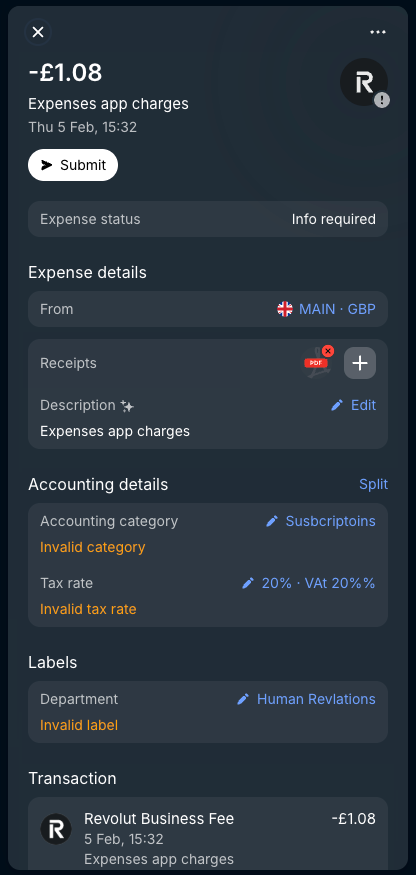
Once a tax rate is deleted, it is removed from the Revolut Business app. Existing records with the deleted tax rate that are pending completion will be marked as invalid, and they will require a manual update to a valid tax rate. Complete records are not affected.
See an example of an incomplete expense with accounting settings that have been deleted, now marked as invalid →
On successful deletion, you get a 204 response with no additional content.
For more details and sample requests and responses:
See the API reference: Delete a tax rate
Pagination
- Page size: The API returns a maximum of 500 results per request (default: 100).
You can increase or decrease the page size, i.e. the maximum number of results returned per page, by explicitly setting the
limitparameter. - Sorting: Results are sorted by the
created_atdate in reverse chronological order. - Next Page: If the results exceed the page size, the response includes
next_page_token. To fetch the next page of results, make a new request providing this value ofnext_page_tokenin thepage_tokenquery parameter.
Externally managed settings
If an accounting software integration is connected, tax rates are typically managed within that external platform. In this state, the tax rates are read-only via the API, and manual modification attempts will return an error.
To find out if your tax rates are managed externally, check the Revolut Business settings.
- Go to Settings → Accounting → Tax rates.
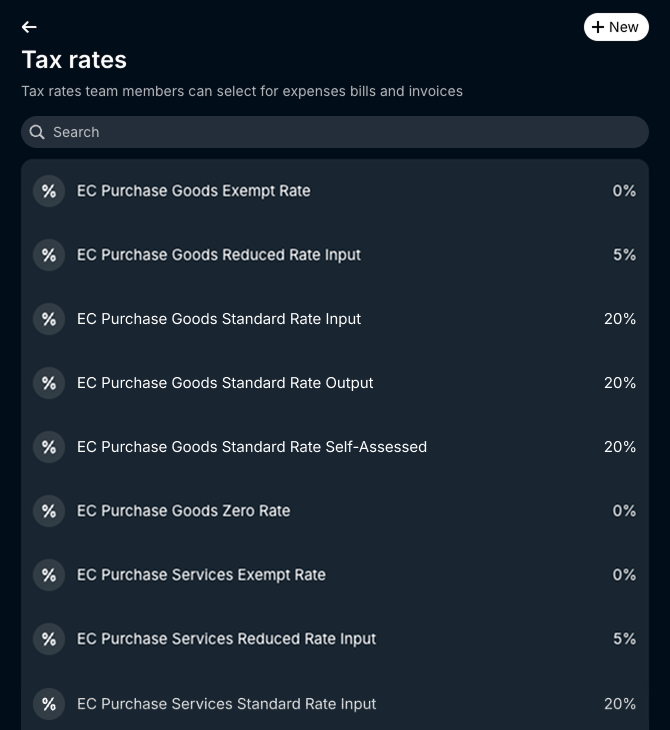
- Look for a + New button above the tax rates.
-
If you see the button, this means that your tax rates can be modified via the API.
-
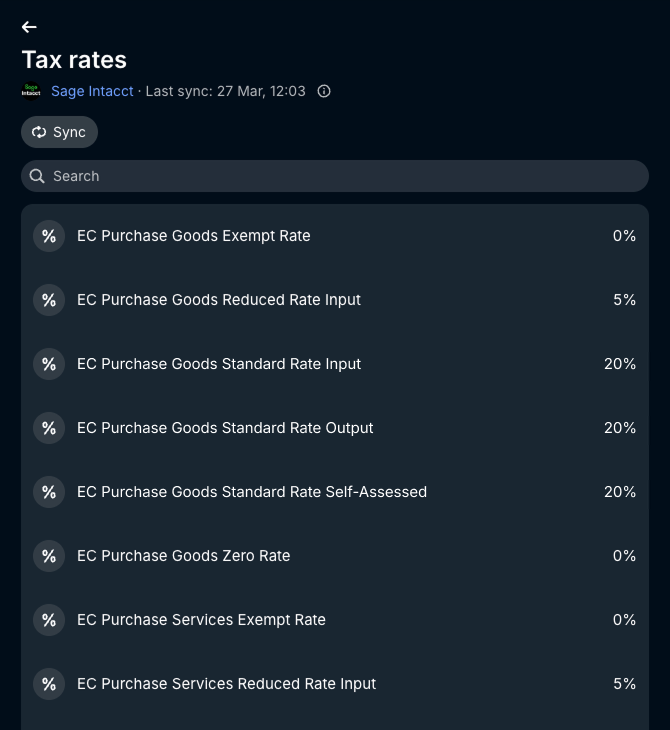
If you don't see the button, your tax rates are managed externally by the connected integration and cannot be modified (created/updated/deleted) via the API. The name of the connected integration appears near the top, together with information when it was last synced.
Editable Read-only